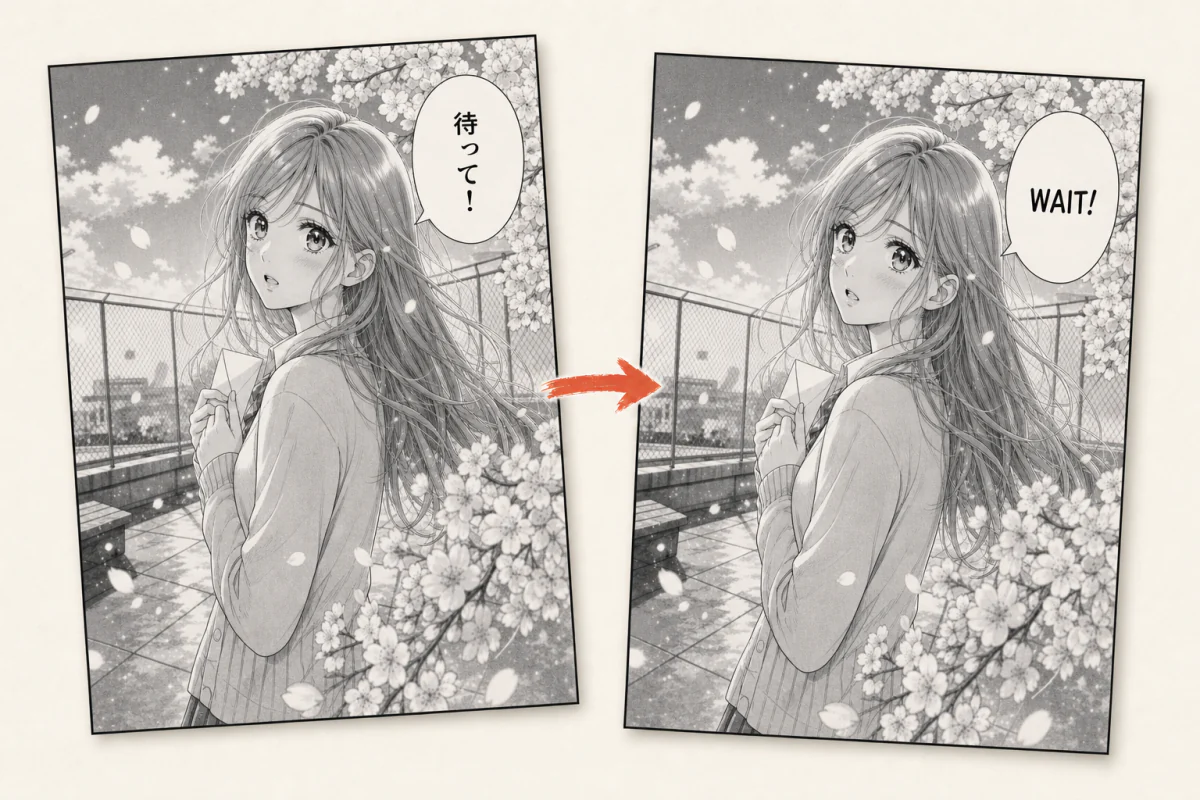
A workspace for manga translation

Translate the page.Keep the voice.

Upload a chapter and turn it into an editable translation draft. Review the dialogue, refine the lettering, and export finished pages from one focused workspace.

  • Editable from first draft to export
  • Review every page before approval
  • Credits settle on completed work
SOURCE PAGE EDITABLE DRAFT
01
DIALOGUEText stays editable
02
LETTERINGLayout stays visible

A chapter in.

01 upload
02 translate
03 review
04 export

Finished pages out.

From scans to finished pages

A complete workflow, explained in three steps.

You do not need to configure models or understand a processing pipeline. KomaTranslate keeps the work visible and editable while the technical details stay in the background.

  1. 01

    Upload a chapter

    Add your pages in reading order. They are prepared in the background and appear in your chapter workspace.

  2. 02

    Create a draft

    Auto Translate prepares translated, cleaned, and lettered pages. Team Assist prepares the page for your own translation.

  3. 03

    Review and export

    Compare with the source, edit each text region, resolve feedback, approve the page, and export the chapter.

Start simple. Scale when you need to.

One tool for a personal project or a full translation team.

For individual translators

Translate your own manga without assembling a toolchain.

Auto Translate gives you a complete first draft. Work page by page, correct the wording and layout, then export when it reads the way you want.

  • One guided chapter workflow
  • Source and translation side by side
  • Editable dialogue and lettering
Create a workspace

For translation teams

Move every page through translation, review, and approval together.

Team Assist handles page preparation while your translators own the words. Keep assignments, comments, revisions, and approvals attached to the page instead of scattered across chat and folders.

  • Shared chapter queues and assignments
  • Page comments and revision history
  • Review states and final approval
See team review
CH. 42 · NIGHT TRAIN18 / 24 APPROVED
06
Page 06APPROVEDKM
07
Page 07IN REVIEWAL
08
Page 08TRANSLATINGYN
09
Page 09UNASSIGNED+
KM

Kei “Wait” reads better here. I flagged the narrow bubble.

Team Assist · collaborative review

One chapter. One shared review queue.

Give your team a stable workspace URL, invite collaborators, and keep the conversation beside the page. Everyone can see what is ready, what needs another look, and which revision was approved.

  • Assign translators and reviewers by page
  • Discuss a region without losing visual context
  • Track revisions through review and approval

Automation when you need it

The same chapter workflow, available through an API.

Start in the browser, then connect your own storage or production tooling as your volume grows. Scoped keys keep access limited to the team and workspace you choose.

Explore the API

Built for production workflows

  • 01Direct page uploadsMove chapters into a workspace without manual transfers.
  • 02Scoped accessLimit a key to the work it needs to perform.
  • 03Safe batch requestsRetry automation without accidentally creating duplicate work.
  • 04Shared review stateBrowser and API users work from the same page history.

Control where it matters

Built for review, not blind publishing.

01

Stay editable

Dialogue, regions, and layout remain open to correction before export.

02

See progress

Every page has a clear place in preparation, editing, review, and approval.

03

Know the cost

Review the credit ceiling before starting; failed pages are not charged as completed work.

04

Control access

Team roles and workspace-scoped access keep chapters with the right collaborators.

Start with one chapter

Keep the translation moving and every decision yours.

Create a workspace, upload your pages, and choose Auto Translate or Team Assist for the way you want to work.

Create your workspace